The Website Maintenance Checklist Every Business Needs Monthly
By Harsh Rai
A website maintenance checklist for small businesses: eight monthly tasks, how to do each one, how often, what it costs and when to get help.
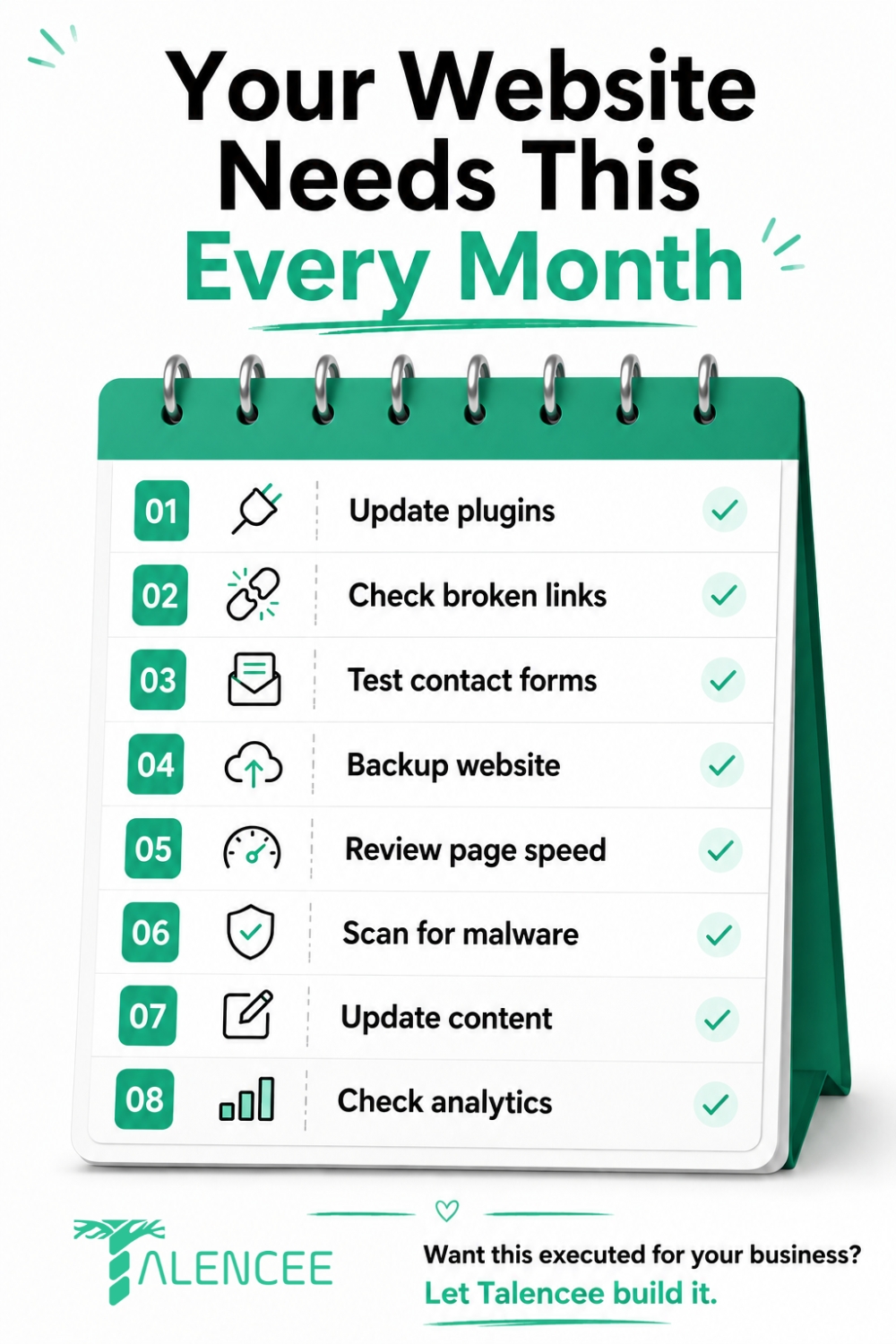
A basic monthly website maintenance checklist covers eight tasks: update plugins and core software, check for broken links, test contact forms, back up the site, review page speed, scan for malware, update outdated content and check analytics for anything unusual. Skipping this routine for even a few months is how small, cheap-to-fix problems turn into expensive emergencies: a hacked site, a broken form quietly losing leads, or a speed problem that slowly drags down results.
Security research points the same way. Sucuri's hacked-website reports have repeatedly found that most compromises had little to do with flaws in the core platform itself. They came from outdated plugins and poor upkeep, which is exactly what a monthly website maintenance checklist is meant to prevent. This guide gives you the eight tasks, how to do each one, how often, what it costs and when to hand it to someone else.
Quick note: We are Talencee, and we offer technical SEO and website support, so we have a stake in this topic. The checklist below works whether you do it yourself or hire help. Where we cite older research, we say so, and the section on security reporting is general information, not legal advice.
What You Need Before You Start
A website maintenance checklist is easier when you have the right access ready. Before your first monthly pass, gather:
• Admin access to your website platform and your hosting account
• Google Search Console and analytics access
• A backup tool or your host's backup panel
• A staging copy of the site, if your host offers one, so you can test updates safely
• A simple log, such as a spreadsheet, where you record what you did each month
• A list of your key pages and forms, so you know what to test
Set a recurring calendar slot. In our experience, a small business site usually needs about two to three hours a month for the routine below, and more if the site is large or has many plugins. That is an estimate, not a rule.
The 8 Tasks That Actually Matter Each Month
1. Update Plugins and Core Software
This is the first item on any website maintenance checklist, because outdated software is one of the most common ways a website gets compromised. Sucuri's 2016 report found that the infected WordPress sites it cleaned were running outdated core software 55% of the time, with higher shares for Joomla and Drupal. By 2018, only about 37% of infected WordPress sites it handled were outdated, which Sucuri linked to wider use of automatic updates. Its message was that plugins and other add-on components had become the main way in. These numbers are old, but the lesson has not changed: what matters most is whether every part of your site is kept current.
How to do it:
1. Back up first. Never update without a fresh backup.
2. Update on a staging copy if you can, then repeat on the live site.
3. Update in order: the platform core, then plugins, then themes.
4. Test the main pages and forms straight after.
5. Remove plugins and themes you no longer use. Every extra component is another way in.
6. Replace abandoned plugins that have not been updated for a long time.
Many platforms, including WordPress, can apply updates automatically. This suits low-risk updates, but keep manual control over big changes to themes and key plugins.
2. Check for Broken Links
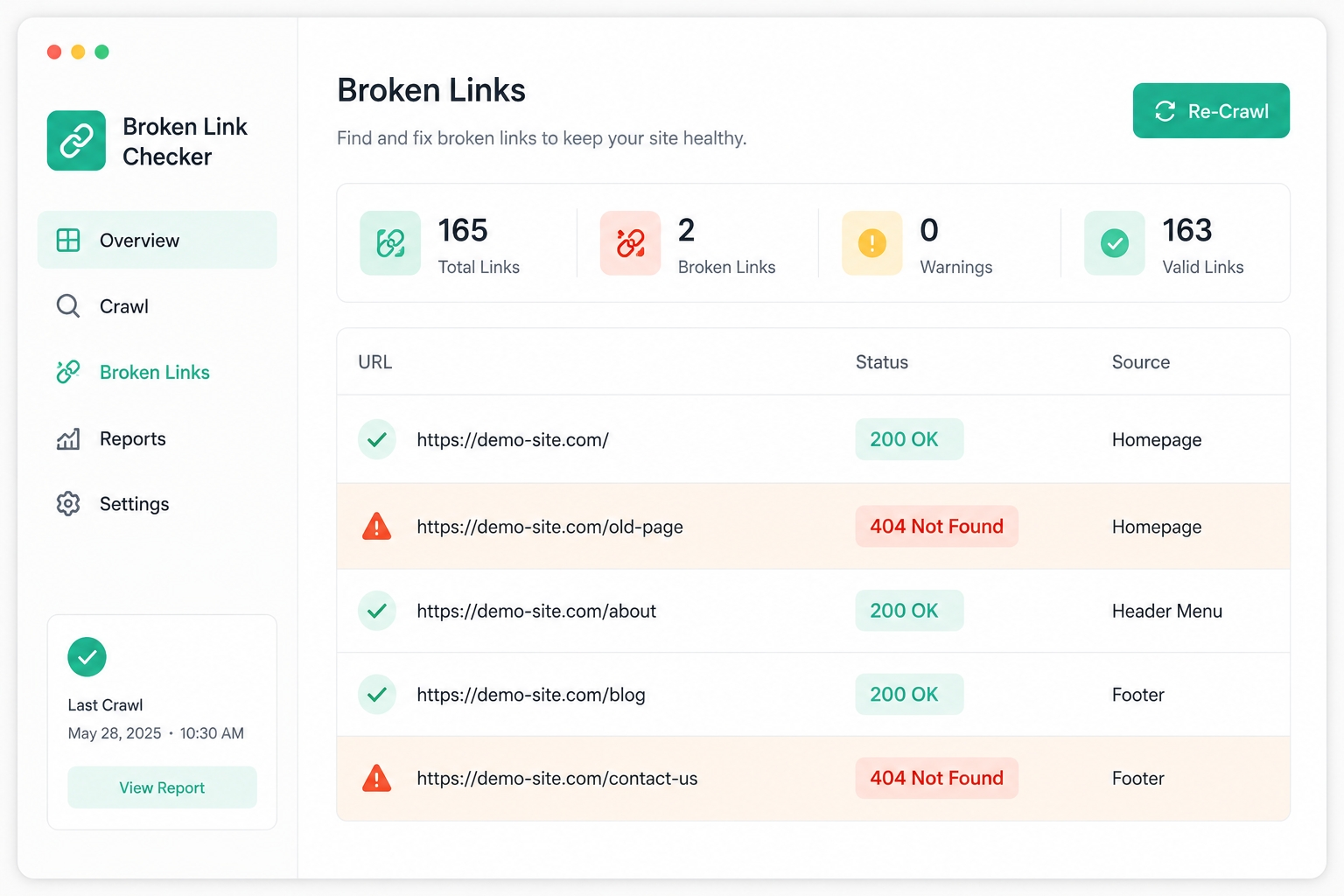
Broken links hurt your visitors first. Someone who clicks a link and lands on a dead page reasonably assumes the site is neglected, and they may leave.
It is worth being precise about search. Google has said for years that 404 errors on their own do not hurt a site's overall search performance, and that pages which no longer exist should simply return a 404. You can read this in Google's guidance on 404 errors and its older post, Do 404 errors hurt my site? What does matter is fixing broken links to pages you care about, such as a service page that returns an error, and avoiding "soft 404s", where a missing page redirects to the homepage instead of showing an error.
How to do it:
1. Run a free broken-link checker across your site once a month.
2. Fix any internal links that point to missing pages.
3. For important pages that moved, add a redirect to the new address.
4. In Search Console, review the Pages report for important URLs that now return errors.
5. Make sure your custom error page is helpful and returns a true 404 status.
3. Test Contact Forms
A broken contact form is one of the quietest ways a website loses business, because nobody tells you it is broken. Visitors simply stop hearing back, assume you are not responding and go elsewhere.
How to do it:
1. Submit a real test entry on every form, all the way through to checking that the message arrives.
2. Check the spam folder and the right inbox.
3. Confirm that confirmation messages and thank-you pages work.
4. Test on a phone as well as a computer.
5. Click any WhatsApp or call buttons to make sure they open correctly.
6. If forms stop arriving, check your email settings. Missing email authentication records, such as SPF and DKIM, can send form emails to spam.
4. Back Up the Website
Every website maintenance checklist should include a restore test. A backup is only useful if it is recent and if you have actually tested restoring from it. Recovery from a hack or a bad update is far harder and slower without one.
How to do it:
1. Back up both files and the database.
2. Match the schedule to how often content changes. A busy shop may need daily backups, while a brochure site may need weekly ones.
3. Keep a copy outside your hosting account. A common rule of thumb is three copies of your data, on two kinds of storage, with one stored off-site.
4. Test a restore at least once every few months, ideally on a staging site.
5. Keep several older versions, because a problem may not be noticed straight away.
5. Review Page Speed
Page speed affects visitors and search visibility. It degrades quietly over time as images pile up, plugins accumulate and nobody notices until load times have crept up.
Google's Core Web Vitals documentation explains the three measures of loading, responsiveness and visual stability, and notes that good scores do not guarantee top rankings. They are still a useful health check, and they reflect real visitor experience.
How to do it:
1. Test your key pages with PageSpeed Insights and note the results in your log.
2. Compress new images and use modern formats.
3. Remove plugins and scripts you do not need.
4. Check caching and your hosting plan if pages are slow.
5. Compare this month with last month, so you catch slow decline early.
6. Scan for Malware
Security belongs on every website maintenance checklist. Small business sites are attractive targets precisely because they are less likely to be watched closely. In Sucuri's 2016 data, only about 18% of the infected sites it cleaned had been blacklisted by search engines or security services. This means you cannot rely on a browser warning to tell you something is wrong. You need to look.
How to do it:
1. Run a malware scan with a trusted security plugin or service.
2. Review your admin users. Remove old accounts and look for any you do not recognise.
3. Use strong, unique passwords, and turn on two-factor login for admins.
4. Check that your security certificate is valid and not close to expiry.
5. Look in Search Console for security issues reports.
6. Watch for warning signs: unexpected redirects, spammy pages you did not create, new admin accounts or sudden traffic changes.
If your hosting provider offers real-time monitoring, keep it on. A monthly scan adds a second layer.
7. Update Content
Outdated pricing, old team photos or a copyright year stuck two years in the past all quietly signal neglect, even when the rest of the site works perfectly. Wrong information can also cost you enquiries from people who rely on it.
This does not need to be a full rewrite. Each month:
1. Check prices, offers and opening hours.
2. Check contact details and addresses.
3. Update team and project pages when things change.
4. Review one or two of your most visited pages and refresh them.
5. Add a clear "last updated" date to guides and posts you maintain.
Freshness matters more for some searches than others, such as news or prices, so focus on the pages where accuracy affects decisions.
8. Check Analytics
Analytics is the early-warning system of a website maintenance checklist. A monthly look at traffic, top pages and conversion trends catches problems early. A sudden traffic drop, a page that stopped converting or a spike from an odd location can all appear here before any other task on this list would have found them.
How to do it:
1. Compare this month's visits, enquiries and top pages with last month's.
2. Review clicks and impressions in Search Console.
3. Check your conversion rate for forms, calls and chat clicks.
4. Investigate big changes. A broken form often shows up as a drop in conversions before anyone notices it manually.
5. Note anything unusual in your log, and follow it up.

Beyond the Eight: Quarterly and Yearly Tasks
Some jobs do not belong on a monthly website maintenance checklist, but they should not be forgotten.
Task | How often |
Renew your domain name, hosting and security certificate | Check quarterly, renew before expiry |
Test restoring a backup | Every few months |
Review user accounts and permissions | Quarterly |
Check your privacy policy, cookie notice and consent settings | Twice a year |
Check accessibility basics, such as image descriptions and readable colours | Twice a year |
Review hosting performance and plan | Yearly |
Check the version of server software your site depends on | Yearly |
What Happens If You Skip This
None of these eight tasks is expensive or time-consuming on its own. What gets expensive is skipping all of them for months at a time.
Here is a composite scenario, not a real client. A small retailer has not updated its site software for a year and a half. A known weakness in an old plugin is used to inject malicious code. The site starts redirecting some visitors, search engines flag it and the owner spends weeks and a lot of money on clean-up, in the middle of their busiest season. A small, ignorable problem has become a business-critical one because nobody was checking.
A quieter version of the same story is far more common. A site slows down gradually over a year as images pile up and plugins multiply. No single moment causes the decline, so nobody notices until visitors are leaving before the page finishes loading.
Signs Your Website Is Already Overdue
If any of these sound familiar, move your website maintenance checklist up to this week:
• Page load times have noticeably crept up, or you have seen a browser or Search Console security warning and not investigated it.
• Broken links or errors have been mentioned by a visitor, or show up when you click around the site yourself.
• Organic traffic has dropped with no obvious explanation, or content has not been touched in over a year.
• Forms fail, plugins conflict, or conversions have fallen and nobody has checked why.
• You see unexpected redirects, spammy pages you did not add or admin accounts you do not recognise.
A free website audit can surface most of these quickly if you are not sure where your own site stands.
How Often Should Each Website Maintenance Checklist Task Happen?
Task | Recommended frequency | Rough time |
Update plugins and core software | Monthly, or automatically for low-risk updates | 30 to 45 minutes |
Check for broken links | Monthly | 15 minutes |
Test contact forms | Monthly, with a real test entry | 15 minutes |
Back up the website | Weekly or daily, depending on how often content changes | Automated, plus 10 minutes to check |
Review page speed | Monthly | 15 minutes |
Scan for malware | Monthly, plus real-time monitoring if available | 15 to 30 minutes |
Update content | Monthly, a few pages at a time | 30 minutes |
Check analytics | Monthly, and weekly during active campaigns | 20 to 30 minutes |
The times are our rough estimates for a small site. Larger sites take longer.
Website Maintenance Cost: What to Expect
Website maintenance cost depends on the size and type of your site, so there is no single price. Most providers use one of three models:
• Monthly plan. A fixed fee for a set list of tasks and a set amount of support time. This suits most small businesses.
• Annual maintenance contract. A yearly agreement, common in India, often with a fixed number of support hours.
• Pay as you go. You pay for each fix or update when needed. This is flexible but unpredictable, and problems tend to be found late.
Several factors change the price:
• The platform and its complexity. A custom-built site costs more to maintain than a simple brochure site.
• Number of plugins and integrations. More components mean more updates and testing.
• Online shops. They need more care, because errors affect sales directly.
• How fast you need responses. Urgent support costs more.
• Hosting and tools. Backup storage, security tools and monitoring may be included or billed separately.
A website maintenance checklist like this one also helps you compare plans. Always ask what a plan includes. Check backups, malware scanning, updates, testing, reporting and emergency help. Compare the plan with what one serious incident would cost you in lost sales and clean-up time. Routine maintenance is almost always cheaper than emergency recovery.
Do It Yourself or Hire Help?
You can do much of this website maintenance checklist yourself. Use this table to decide where help makes sense.
Task | Safe to do yourself? | When to get help |
Testing forms and checking analytics | Yes | If numbers look strange and you are unsure why |
Content updates | Yes | For larger rewrites |
Broken-link checks | Yes | For many redirects or a recent redesign |
Plugin and core updates | With care and a backup | For custom code or big upgrades |
Backups and restore tests | Basic setup, yes | For large or complex sites |
Malware scanning and clean-up | Scanning, yes | Always for clean-up after an infection |
Speed and server fixes | Basic image work, yes | For hosting, caching or code issues |
If you want a team to handle this quietly in the background, see our technical SEO and site health support. For rebuilds or upgrades, our website development service covers the larger work.
Security Incidents and Reporting Rules in India
If something goes wrong, rules may apply. This section is general information. Please take legal advice for your situation.
India's cyber agency, CERT-In, issued directions in 2022 that require covered organisations to report specified cyber incidents within six hours of noticing them and to keep system logs for 180 days. You can read the announcement on the PIB website. Whether the rules apply to you depends on the kind of organisation you are.
If your site holds customer data, India's Digital Personal Data Protection Act, 2023 may also apply, including duties around protecting data and handling a breach. The government notified the DPDP Rules in November 2025, with a phased rollout. You can read the official summary in this Press Information Bureau document. In practice, keep logs, know who to call and write a short incident plan before you need one.
Common Mistakes When Following a Website Maintenance Checklist
• Updating without a backup. A failed update can take a site down.
• Never testing restores. A backup you cannot restore is only a hope.
• Fixing every 404. Spend your time on broken links to pages that matter.
• Leaving unused plugins installed. Each one is a possible entry point.
• Relying on a hosting package alone. Basic hosting rarely covers testing, updates and content checks.
• Treating HTTPS as full security. It protects the connection, not the site's code.
• Skipping the log. Without notes, you cannot spot patterns.
Frequently Asked Questions
What should a website maintenance checklist include?
A solid website maintenance checklist covers software updates, broken links, contact forms, backups, page speed, malware scans, content updates and analytics. Larger sites also need quarterly checks of user accounts, renewals and restore tests.
How much does website maintenance typically cost?
It varies by site size, platform and support level, so there is no single figure. Common models are a monthly plan, an annual maintenance contract and pay-as-you-go. Ongoing maintenance is almost always cheaper than recovering from a serious incident, so compare a plan with the cost of a day of downtime.
Can I do website maintenance myself, or do I need a developer?
Basic tasks like checking forms, reviewing analytics and running a broken-link scan can be done without technical skills. Software updates, malware clean-up and backup restores are safer with technical oversight, because a failed update can take a site down if nobody is watching.
What is the difference between website maintenance and technical SEO?
They overlap. Page speed, broken links and Core Web Vitals matter to both. But maintenance also covers things technical SEO does not, such as security scanning, backups and plugin updates that keep the site running at all, not just ranking well.
How do I know if my website has already been compromised?
Common signs include unexpected redirects, spammy pop-ups or pages you did not create, a security warning from a browser or Search Console, a sudden unexplained traffic drop and admin accounts you do not recognise. A security scan can confirm what a quick look might miss.
Is HTTPS enough to keep my website secure?
No. HTTPS encrypts the connection between your site and visitors, which matters, but it does nothing to stop a hacked plugin, a weak password or injected malware. It is necessary, not sufficient.
How long can I go without doing any of this?
Some sites run for a year or two without visible issues, which is what makes skipping maintenance feel safe until it is not. Risk builds quietly in the background, because most of what this checklist prevents is invisible until the moment it fails.
How long does a monthly website maintenance checklist take?
For a small business site, about two to three hours a month is a reasonable estimate, with automation handling backups and some updates. Larger sites, shops and sites with many plugins take longer.
Do I need maintenance if my site is on a hosted platform like Shopify or Wix?
Less of it, because the platform handles server updates and security of the core system. You still need to check forms, links, content, speed, apps and plugins, analytics and user accounts.
Conclusion
A monthly website maintenance checklist does not need to be complicated. Update software, check links, test forms, back up and test restores, watch speed, scan for malware, refresh content and read your analytics. Log what you do, and fix small problems while they are still small. The routine costs a few hours a month. An avoidable incident can cost weeks.
Running through this website maintenance checklist every month catches most problems while they are still cheap to fix. If you would rather have it handled quietly in the background, explore our technical SEO and site health support, see our website development service, or contact us to talk through your site.
Sources and Further Reading
• Sucuri, Hacked Website Report 2016/Q2. Outdated software shares, blacklisting rates and the finding that most compromises related to deployment, configuration and maintenance.
• Sucuri, Hacked Website Trend Report 2017. Outdated installation shares by platform.
• Infosecurity Magazine, WordPress comprises 90% of hacked sites. Summary of Sucuri's 2018 findings on plugins and outdated platforms.
• Google Search Console Help, 404 (Page Not Found) errors.
• Google Search Central blog, Do 404 errors hurt my site?
• Google Search Central, Core Web Vitals and PageSpeed Insights.
Press Information Bureau, CERT-In cyber security directions and DPDP Rules, 2025 summary.