AI Automation for Business: 10 Things to Automate First
By Harsh Rai
10 AI automation for business ideas for small companies: what to automate first, how to start, what it costs and how to keep customer data safe.
AI automation for business is easier to start than most owners expect. In most small businesses, AI can realistically automate ten things today: lead scoring, chat support, email replies, report summaries, content ideas, data cleanup, customer segmentation, invoice reminders, FAQ answers and workflow triggers between tools. None of these needs a custom-built AI model. They work with existing tools and a sensible setup process, which is a big reason adoption has moved so fast. The U.S. Chamber of Commerce found that 58% of small businesses used generative AI in 2025, up from 40% in 2024 and 23% in 2023.
Adoption figures vary a lot depending on what is counted. A 2026 Goldman Sachs survey reported by Delaware Inc. found that 76% of small businesses use AI in some form, yet only 14% have it embedded in core operations. That gap is the real story. The businesses that gain most are not using more advanced AI. They use it more deliberately. This guide covers ten AI automation for business ideas, how to choose between them, what it costs, how to protect customer data and how to tell whether any of it is working.
Quick note: We are Talencee, and we build AI and automation solutions, so we have a stake in this topic. We have written this guide to help you judge any tool or provider, including us. The section on data and privacy is general information, not legal advice.
What Is AI Automation for Business?
Traditional automation follows fixed rules. If a form is submitted, send a confirmation email. It works well when inputs are predictable. AI automation adds a step that handles language and judgement: reading a message and deciding what it is about, drafting a reply, summarising a document or ranking a lead.
Most useful setups combine both. A trigger starts the process, AI handles the messy step, and a human checks anything important before it goes out.
| Rule-based automation | AI-assisted automation |
Good at | Exact, repeatable steps | Reading, writing, sorting and summarising |
Example | Send an invoice when a job is marked done | Draft a polite payment reminder using the customer's history |
Weakness | Breaks when input varies | Can make mistakes, so it needs review |
Best use | Moving data between tools | Handling text, questions and judgement calls |
The practical lesson is to use plain automation wherever the rules are clear, and add AI only where the work involves language or judgement.
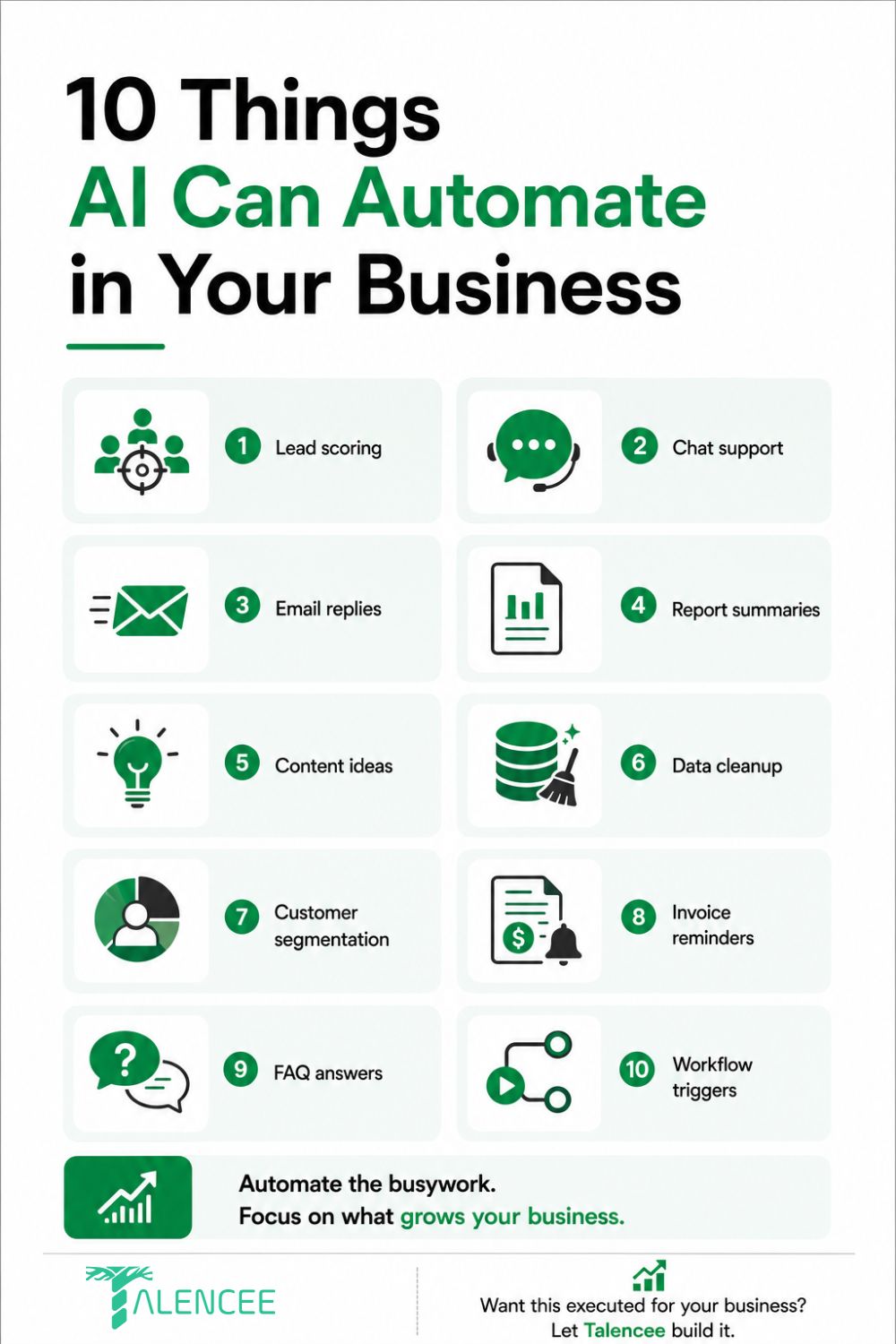
The 10 Things Worth Automating First
These ten ideas are the core of AI automation for business for most small companies. Each one includes how to start and what to watch out for.
1. Lead Scoring
Instead of treating every inquiry the same, AI can rank incoming leads by how likely they are to convert, using behaviour, source and stated needs. Sales attention then goes to the leads worth chasing first, rather than the order in which they arrived.
How to start:
• Define what a good lead looks like, using your last 20 to 50 customers.
• Score on simple signals: budget, urgency, location, company size and how they found you.
• Start with rules, add AI only when you have enough data.
• Review the top and bottom scored leads each week to check the scoring makes sense.
Watch out for: scoring that reflects old bias. If your past customers were all one type, the model will favour that type.
2. Chat Support
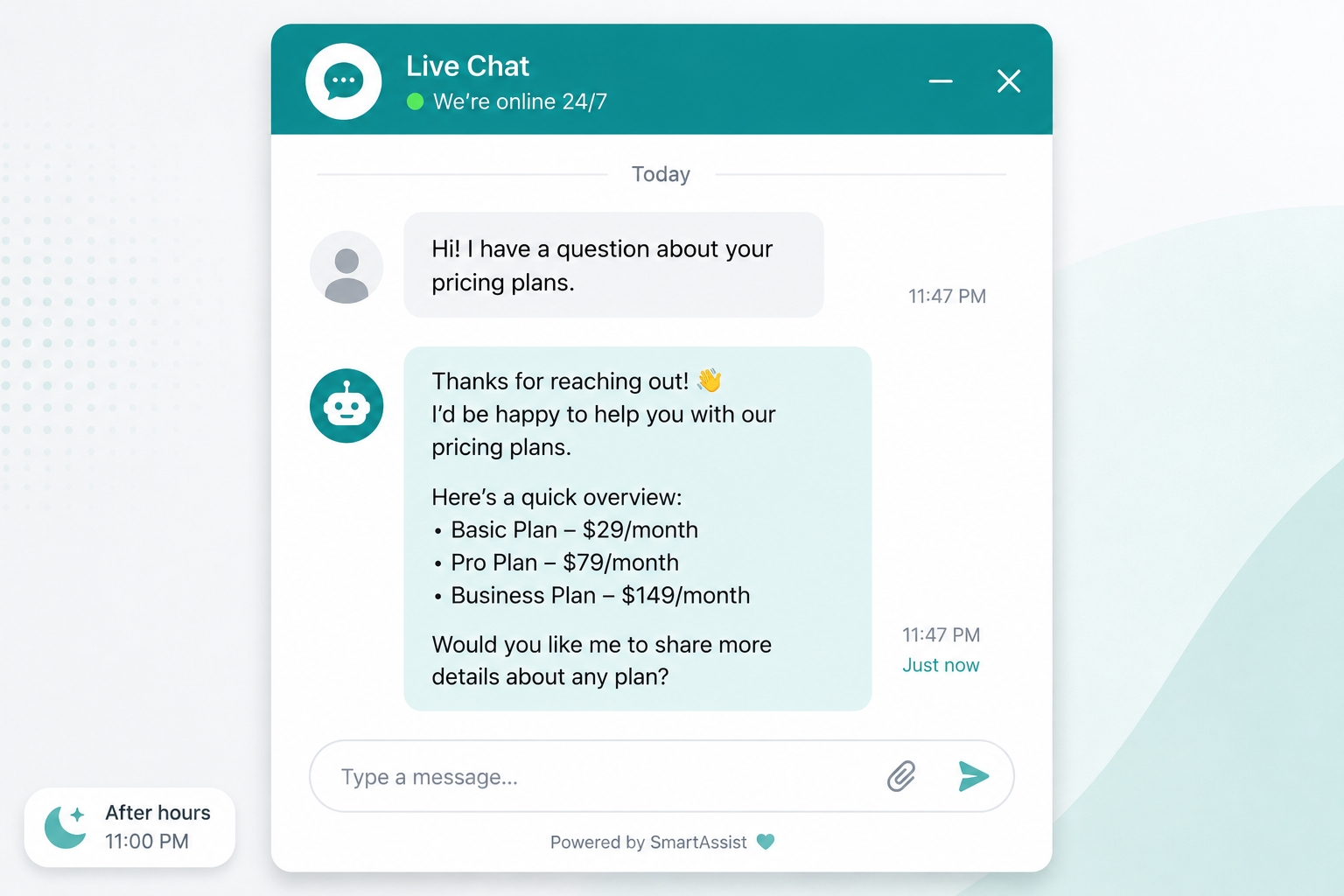
A chatbot that handles common questions around the clock captures leads who would otherwise arrive after hours and wait until the next business day. Response speed is one of the highest-leverage places to start, because someone comparing providers often goes with whoever replies first.
How to start:
• List the 20 questions your team answers most often.
• Write clear, approved answers for each.
• Let the bot answer only from those approved sources.
• Give people an easy way to reach a human.
• If you use WhatsApp, remember that business messaging through the WhatsApp Business Platform needs customer opt-in and approved templates for messages you start.
Watch out for: bots that invent answers. Limit them to your own content, and hand off anything unusual.
3. Email Replies
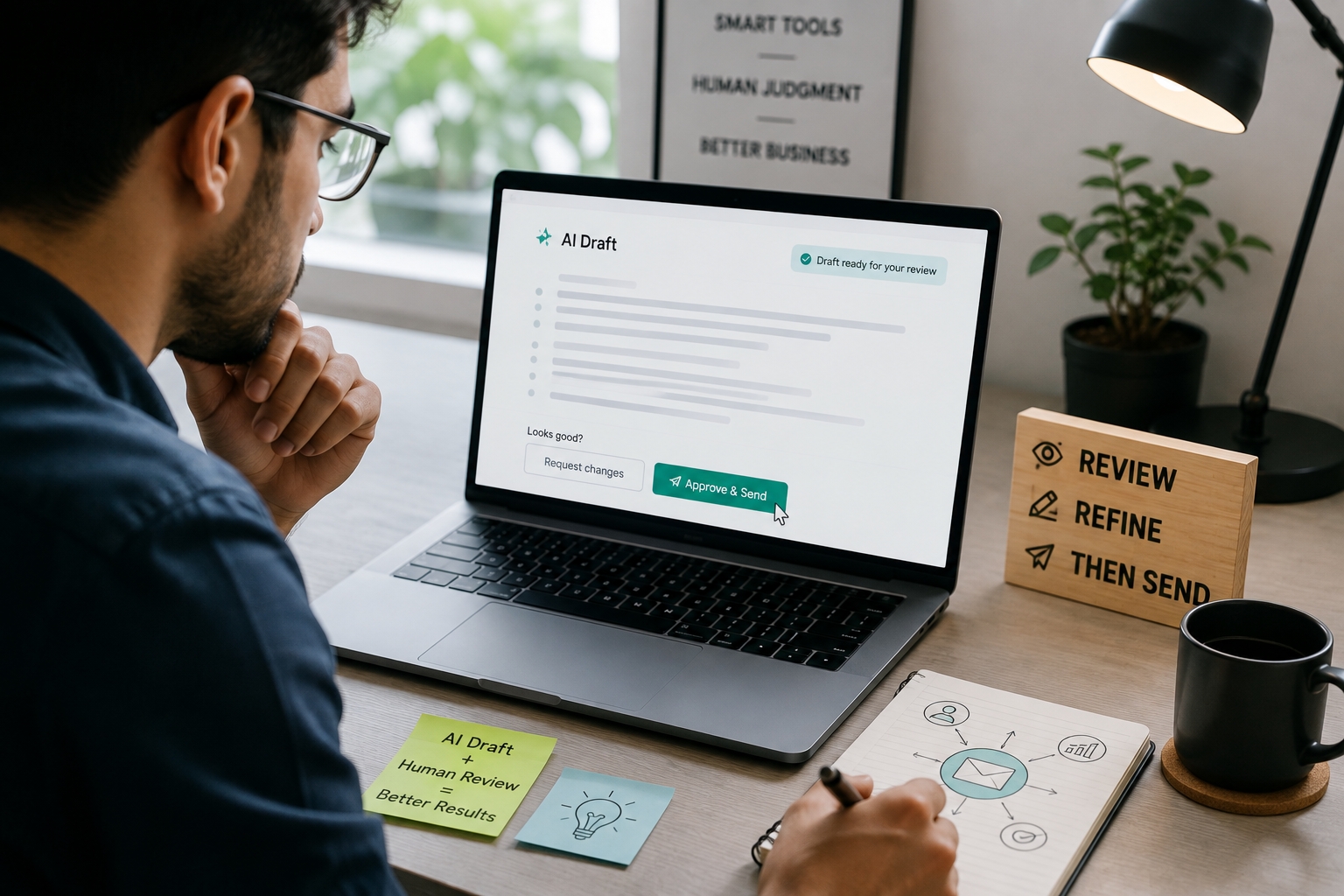
AI-drafted replies to common inquiry types, such as pricing questions, availability and basic support, can cut response time significantly. A human still reviews each draft before it sends. This keeps the speed and keeps the judgement.
How to start:
• Pick the three most common email types.
• Write a good example reply for each, in your voice.
• Have AI draft replies using those examples and your price list.
• Review every draft at first. Loosen review only for types that prove reliable.
Watch out for: replies that promise things you cannot do, such as discounts or delivery dates. Keep these decisions human.
4. Report Summaries
Turning a spreadsheet or dashboard into a plain-language summary of what changed and why used to take real analyst time. AI can produce a first draft automatically, which frees people to act on the numbers instead of compiling them.
How to start:
• Choose one weekly or monthly report.
• Have AI write a short summary: what went up, what went down and what to check.
• Compare its summary with your own for the first few weeks.
• Always check key numbers against the source.
If you want dashboards that feed these summaries, see our BI dashboards and reporting service.
5. Content Ideas
AI is useful for the first draft of ideas, outlines and angles, and less useful for final copy. Using it this way tends to save time without losing your brand's voice.
How to start:
• Give AI your audience, offer and tone, and ask for ten topic ideas.
• Pick the best three and ask for outlines.
• Write or edit the final version yourself, adding real examples and facts.
• Keep a short style guide, so the output stays consistent.
Watch out for: generic text and invented facts. Check every claim before you publish anything.
6. Data Cleanup
Duplicate contacts, inconsistent formatting and outdated records quietly degrade every tool that relies on that data, from your CRM to your email platform. AI-assisted cleanup can flag and merge duplicates or standardise formats far faster than a manual pass.
How to start:
• Back up your data first.
• Export a sample and test the cleanup on it.
• Review proposed merges before applying them.
• Set simple rules for new entries, such as required fields, so the mess does not return.
7. Customer Segmentation
Grouping customers by behaviour, purchase history or engagement used to need someone to build and maintain segments by hand. AI and automation can update these groups as behaviour changes, so they stay current instead of going stale a few months after they were built.
How to start:
• Choose two or three segments that change how you communicate, such as new, repeat and inactive customers.
• Define each with simple, visible rules.
• Check that every segment gets a different message or offer, otherwise it adds no value.
8. Invoice Reminders
Automated, well-timed payment reminders reduce the awkward manual follow-up that many owners put off for too long. This is one of the more administrative use cases here, with a clear and measurable benefit.
How to start:
• Send a friendly reminder before the due date, one on the due date and one after.
• Include the invoice number, amount and an easy way to pay, such as a payment link or UPI.
• Use AI only to adjust tone, and keep amounts and dates under strict rules.
• Stop reminders automatically when payment arrives.
9. FAQ Answers
A well-built FAQ automation handles the questions that come up constantly, such as hours, pricing basics and policies, without a person answering them for the hundredth time. It overlaps with chat support, but deserves separate attention, because a dedicated FAQ layer catches questions before they become full conversations.
How to start:
• Turn your top questions into a help page or FAQ section.
• Connect the bot or search box to that page.
• Add questions every month, using real customer wording.
• Offer answers in the languages your customers use.
10. Workflow Triggers
Connecting tools so that an action in one starts a step in another removes the manual handoffs where things get forgotten. A new lead in the CRM triggers a welcome email. A completed job triggers an invoice.
How to start:
• Map one process on paper from start to finish.
• Mark every point where someone copies data or sends a message by hand.
• Automate the most error-prone handoff first.
• Add alerts so someone knows if a step fails.
For more complex connections between your own systems, see our custom software development and CRM development services.
How to Choose What to Automate
With ten ideas, the temptation is to start all of them. Good AI automation for business starts with choosing well, so score each candidate on five questions instead.
Question | Good sign |
How often does it happen? | Daily or weekly |
How much time does it take? | Hours per week across the team |
What does a mistake cost? | Low, or easy to catch with review |
Is the data clean and accessible? | Yes, in one or two tools |
Are the steps clear? | A person could write them down |
Start with tasks that are frequent, slow, low-risk and well defined. Leave high-risk tasks, such as legal advice or refunds, for later, and always keep a human in charge of them.
Where to Actually Start
A clear path works better than a long list when you begin AI automation for business. A sensible order for most small businesses:
1. Marketing and content. The time savings are immediate and easy to measure, and mistakes are low-risk.
2. Customer service. Chat support and FAQ answers free up real staff hours quickly, even when only partly automated.
3. Administrative workflows. Invoice reminders, data cleanup and workflow triggers have solid value, but they usually come after the first two.
Expect to end up with a small stack of tools, not one tool covering all ten ideas.
Tools and Building Blocks
You do not need to build from scratch for most AI automation for business projects. These are the main categories.
Category | What it does | Examples | When to choose it |
No-code automation platforms | Connect apps and trigger actions | Simple to medium workflows between common tools | |
AI assistants | Draft, summarise and answer questions | General-purpose AI chat tools | One-off tasks and first drafts |
Chatbot platforms | Answer customers on your website or WhatsApp | Various chatbot and messaging tools | Customer support and lead capture |
Built-in AI in tools you already use | Adds AI inside your CRM, accounting or email tool | Features in your existing software | Quick wins with little setup |
Custom-built automation | Software designed around your process | Built by a developer or agency | Unique workflows, many systems or sensitive data |
These names are examples, not recommendations. Features and pricing change quickly, so check current details before you commit. If your process is unusual or you need systems to work together reliably, see our AI solutions work.
What Does AI Automation for Business Cost?
Prices depend on which tools you use, how many tasks you automate and how much setup you need, so there is no single figure. These are the cost parts to plan for:
• Tool subscriptions. Many tools charge per user or per task, and prices change often.
• Usage fees. AI services often charge for the amount of text they process.
• Setup time. Mapping the process, writing instructions and testing take time, whether it is yours or a provider's.
• Maintenance. Automations break when a tool changes, so someone must watch them.
• Human review. Reviewing drafts takes staff time, especially at first.
• Training. Your team needs to learn how to use and check the outputs.
A simple way to judge any automation is a quick return calculation:
(hours saved per month x hourly cost of that time) minus (tool, usage and maintenance costs)
Here is an illustrative example, not a benchmark. If automating invoice reminders saves 10 hours a month, and that time costs your business ₹400 an hour, the saving is ₹4,000 a month. If the tools and upkeep cost ₹1,500 a month, the net gain is about ₹2,500. Start with the automations where this sum is clearly positive.
Be careful with published claims about average savings or return on investment. They vary widely and often come from vendor-sponsored studies. Measure your own results instead.
Data, Privacy and Safety: Using AI Without Creating Risk
AI tools process information, and some of that information may be personal or confidential. Using AI automation for business safely comes down to a few habits.
• Know where your data goes. Check each tool's terms on how it stores and uses what you enter, and whether it trains on your data.
• Avoid pasting sensitive data into public tools. Use business accounts or tools with clear data protections for customer information.
• Follow India's data protection rules. The Digital Personal Data Protection Act, 2023 may apply to customer data you handle. The government notified the DPDP Rules in November 2025, with a phased rollout. You can read the official summary in this Press Information Bureau document. Please take legal advice for your situation.
• Keep a human in the loop for anything customer-facing or irreversible, such as refunds, contracts and legal statements.
• Limit what the AI can do. Give tools the smallest set of permissions they need.
• Test before launch. Try unusual questions and wrong inputs, so you see how the automation fails.
• Keep logs. Record what the automation did, so you can investigate problems.
The Mistake Most Businesses Make With AI Automation for Business
Most businesses add a tool without a plan for how it fits into an existing workflow. The result is a lot of experimentation and very little measurable return. The adoption figures above show the pattern: many businesses use AI in some form, but few have it embedded in how they actually work. AI can make a disorganised process faster at being disorganised.
Avoid this by writing down, for each automation, three things: the task it replaces, the person who owns it and the number that will show whether it works.
How to Measure Whether AI Automation for Business Is Working
Measure before you start, so you have something to compare with. Useful measures include:
• Time saved per task and per month
• Response time to leads and customer questions
• Error rate, such as wrong replies or missed follow-ups
• Escalation rate, meaning how often a bot hands over to a human
• Cost per task, including tools and review time
• Customer satisfaction, using a simple rating after chats
• Revenue effects, such as leads converted or invoices paid sooner
Review monthly. If a number does not improve after a few cycles, change the setup or stop.
A 30-Day Starter Plan
This plan suits any first AI automation for business project.
Week | What to do |
Week 1 | List your repeated tasks. Score them with the five questions. Pick one to start. |
Week 2 | Map the process. Choose the tool. Write the instructions and approved content. |
Week 3 | Test with real examples. Keep a human reviewing every output. Fix problems. |
Week 4 | Launch to a small group. Record the baseline and results. Decide whether to expand. |
Common Mistakes When Starting AI Automation for Business
• Automating a broken process. Fix the process first, then automate it.
• Starting too many projects at once. One working automation beats five half-built ones.
• Removing human review too early. Loosen oversight only after a use case proves reliable.
• Letting the AI answer from anywhere. Restrict it to approved content.
• Ignoring data quality. Messy data produces messy automation.
• Forgetting maintenance. Someone must own each automation and watch for failures.
• Choosing tools before goals. Decide the problem first.
Frequently Asked Questions
What is AI automation for business?
AI automation for business means using AI tools, together with triggers and workflows, to handle repeated tasks such as answering questions, drafting emails, scoring leads or summarising reports, usually with a human checking important outputs.
Do I need technical skills to set up AI automation?
For most of these ten use cases, no. Many tools are built for non-technical setup. Connecting several tools with workflow triggers benefits from some technical guidance, to avoid brittle automations that break easily.
Which of these ten should a very small business start with?
Chat support or FAQ answers, if response speed is a bottleneck, or content ideas, if marketing time is the constraint. Pick the single area that costs the most staff hours right now, instead of trying to automate everything at once.
Is AI automation reliable enough for customer-facing tasks?
For routine, well-defined tasks, yes, especially with a human reviewing outputs in the early stages. Reliability comes from scoping the automation narrowly and limiting it to approved information, not from expecting it to handle every edge case.
How long does it take to see a return on AI automation for business?
It depends on the task. Content and reporting automations often show time savings within weeks. Customer service and administrative automations may take longer to configure but can show clear savings once running. Track your own baseline and compare.
Will AI automation replace my staff?
For most small businesses, it changes what staff spend time on instead of removing roles. Hours freed from routine tasks usually move to work that needs a person's judgement, such as sales conversations and customer relationships.
What happens if the AI gets something wrong in front of a customer?
That is why review matters in the early stages, especially for email replies and chat support. Most businesses start with AI drafting and a human approving, then loosen oversight gradually as a specific use case proves reliable. Also give customers a simple way to reach a person.
What does AI automation for business cost?
It depends on the tools, the number of automations, setup effort and maintenance. Plan for subscriptions, usage fees, setup time, review time and upkeep. Judge each automation by hours saved against its total cost.
Is AI automation safe for customer data?
It can be, if you choose tools with clear data protections, limit what you share, keep humans in charge of sensitive decisions and follow data protection rules such as India's DPDP Act. Read each tool's data terms before you use it.
Conclusion
AI automation for business works best when it is small, specific and measured. Pick one repeated task that costs real hours. Make sure the data and steps are clear. Keep a human checking the output at first. Measure the time saved, and only then add the next automation.
The ten ideas here, from lead scoring to workflow triggers, are all within reach of a small business using existing tools. What separates the results is not the tool. It is the plan. If you would rather have the right starting point mapped out and built for you, explore our AI solutions and custom software development work, or contact us to talk through your processes.
Sources and Further Reading
• U.S. Chamber of Commerce, Empowering Small Business 2025 report summary. 58% of small businesses used generative AI in 2025, up from 40% in 2024.
• Delaware Inc., AI adoption among small businesses. Summary of the Goldman Sachs 2026 survey (76% use AI in some form, 14% fully embedded) and other surveys showing why adoption figures differ.
• Press Information Bureau, DPDP Rules, 2025 summary.
Zapier, zapier.com, Make, make.com and n8n, n8n.io. Examples of no-code automation platforms. Check current features and pricing.